 The Comics & Manga Maker’s Kit
Finger-tap navigation
7 tabs on every page, a contents hub per step, your position and the next page always shown. One finger tap and you are on your page map. The pen stays dedicated to drawing.
A kit that walks you through your first comic, manga or webtoon: six guided steps, every notion explained simply, 257 pages connected by 2,726 links, from idea to an ink-ready storyboard.
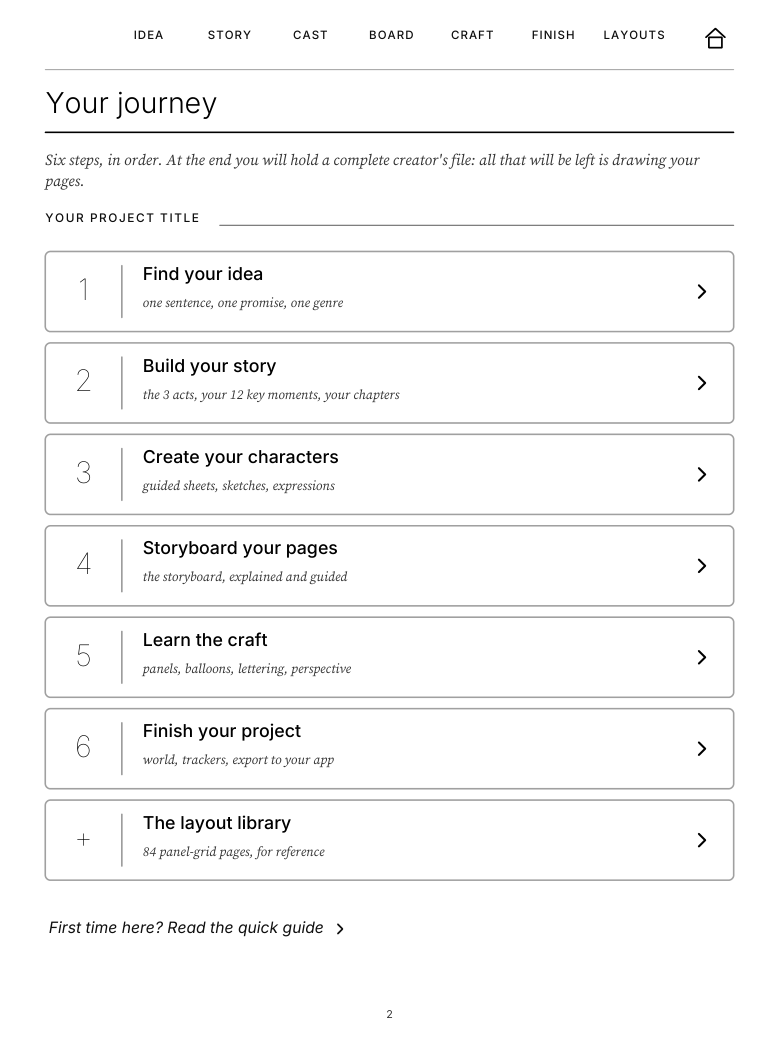
7 tabs on every page, a contents hub per step, your position and the next page always shown. One finger tap and you are on your page map. The pen stays dedicated to drawing.
Near-black panels, clean gutters, thin guides, tested on a screen without a frontlight. The Paper Pro edition adds subtle color accents for annotating your storyboard.
Every purchase delivers both versions, with a mirrored navigation bar matching your tablet's handedness setting. Two vector files of about 1.5 MB, no account, no subscription.
Every screen below is a real page of the kit, exactly as it displays on the tablet.
The home page unfolds the six steps of the kit: idea, story, characters, storyboard, craft, finish, plus the layout library. Each step opens on its own contents page, explains every notion with a running example, and ends on a checkpoint. The Home icon always brings you back here.
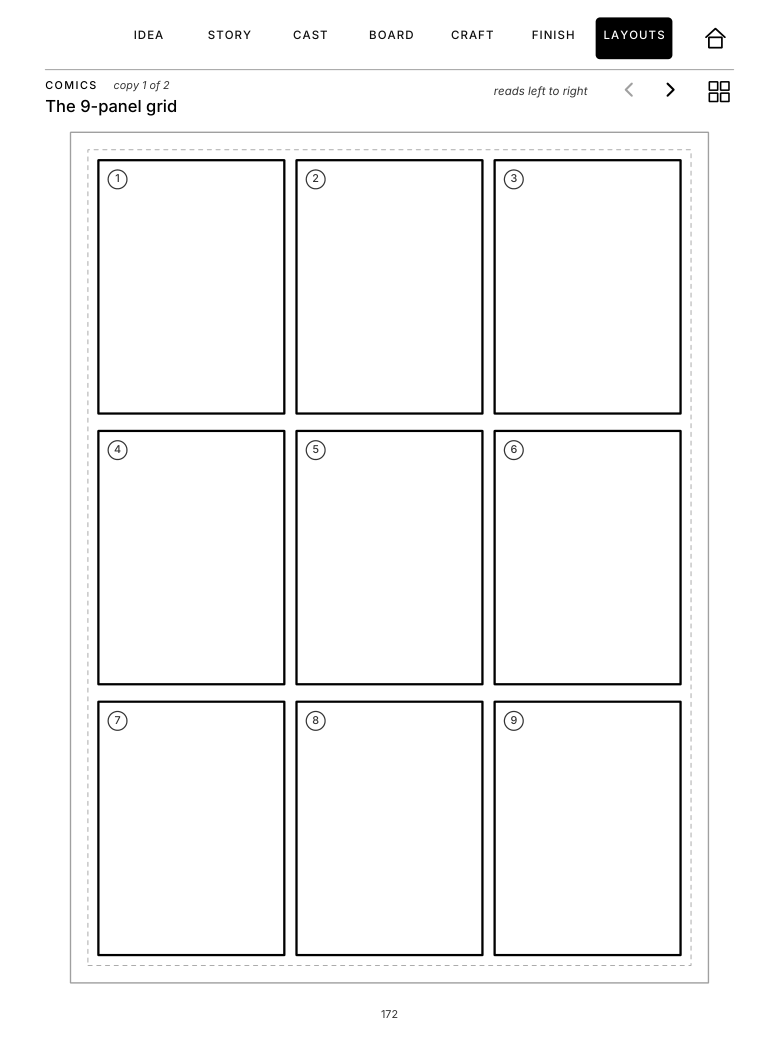
42 layouts, each in two copies: 18 western comics grids, a professional genkō yōshi and 14 manga layouts numbered right to left, webtoon strips, splash page, double-page spread.
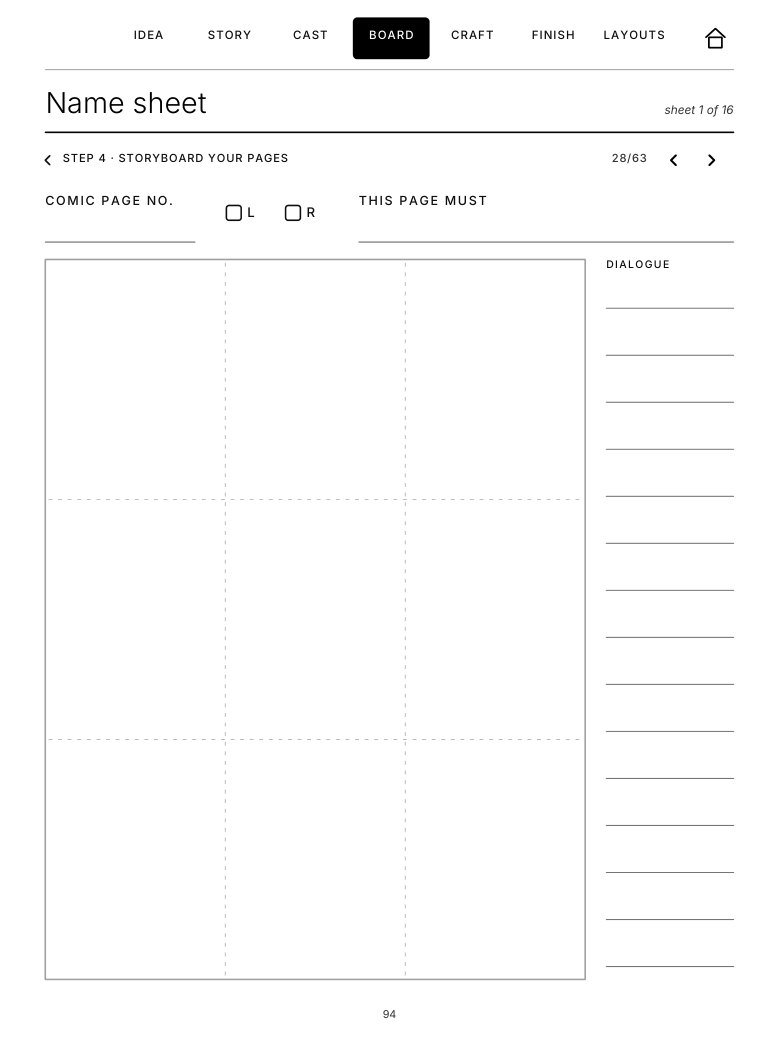
One sheet per comic page: rough panels, balloons and camera, a dialogue margin, a left or right page marker. With the 48-page flatplan, the thumbnail sheets, the 4-koma and the webtoon flow, your whole book is thought at a glance.
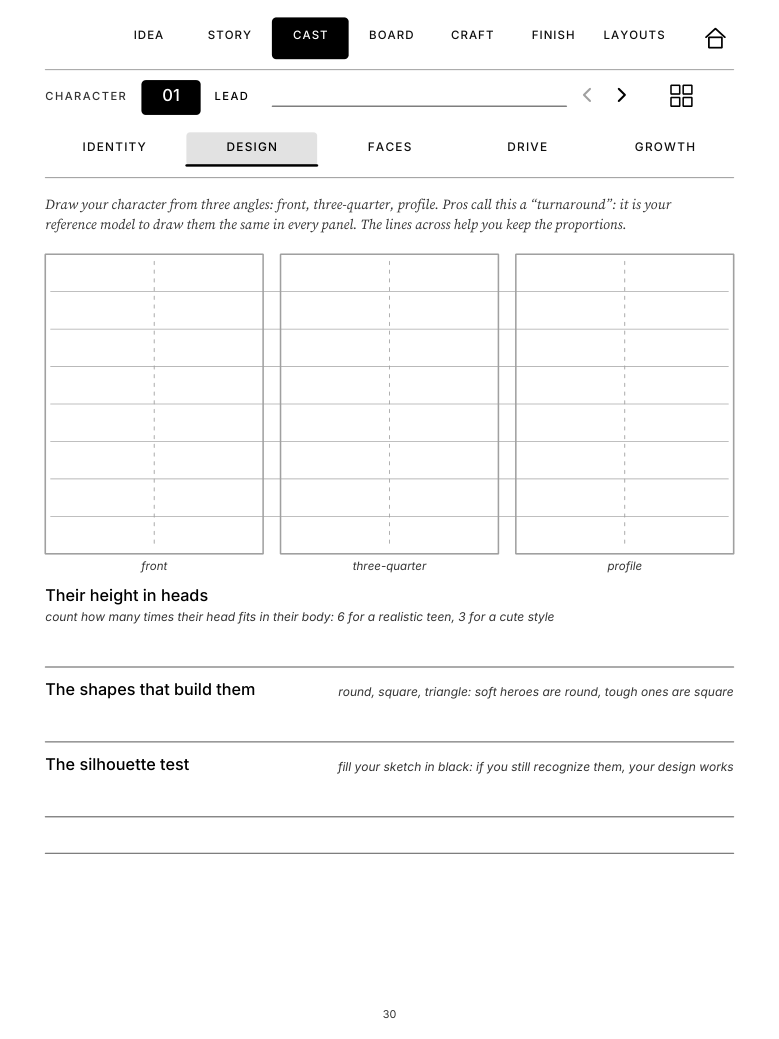
Four lead characters with five linked pages each: profile, a 3-view turnaround with guide lines, a grid of twelve named expressions, dramatic drive, arc. Plus supporting characters, walk-ons, props & costumes.
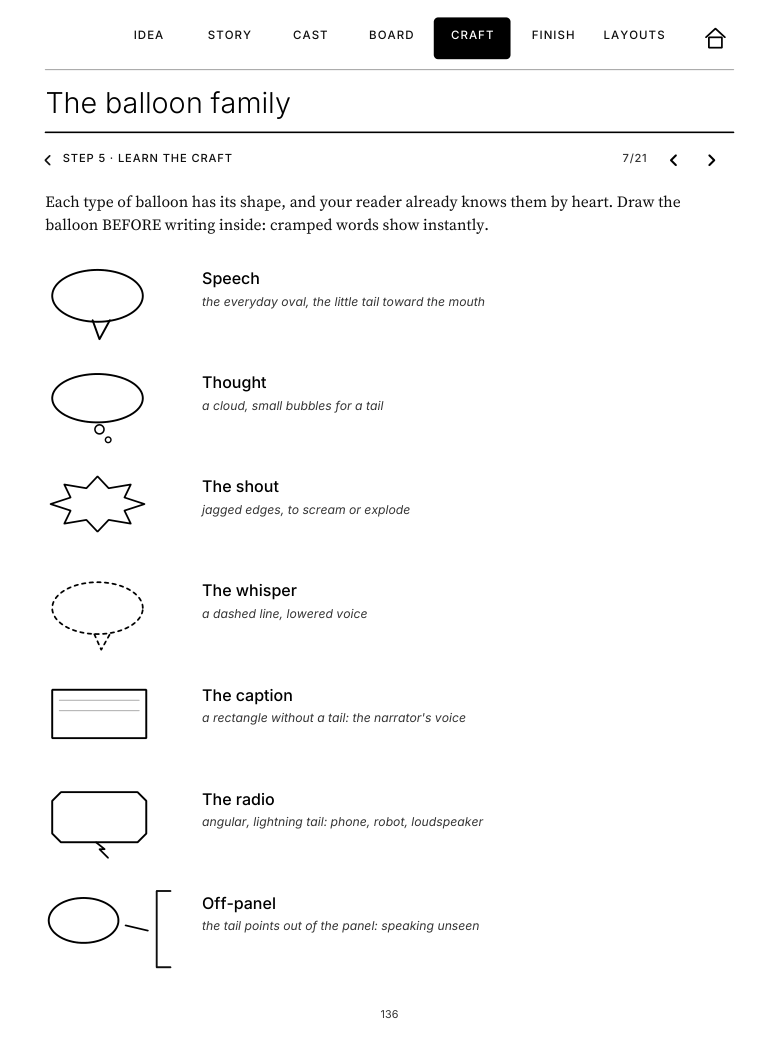
The balloon family drawn type by type, the six panel transitions, six lettering rules, a sound-effects practice wall, six pre-drawn perspective grids and an EN-FR glossary with a Japanese lexicon. The reference stays one tap from your pages.
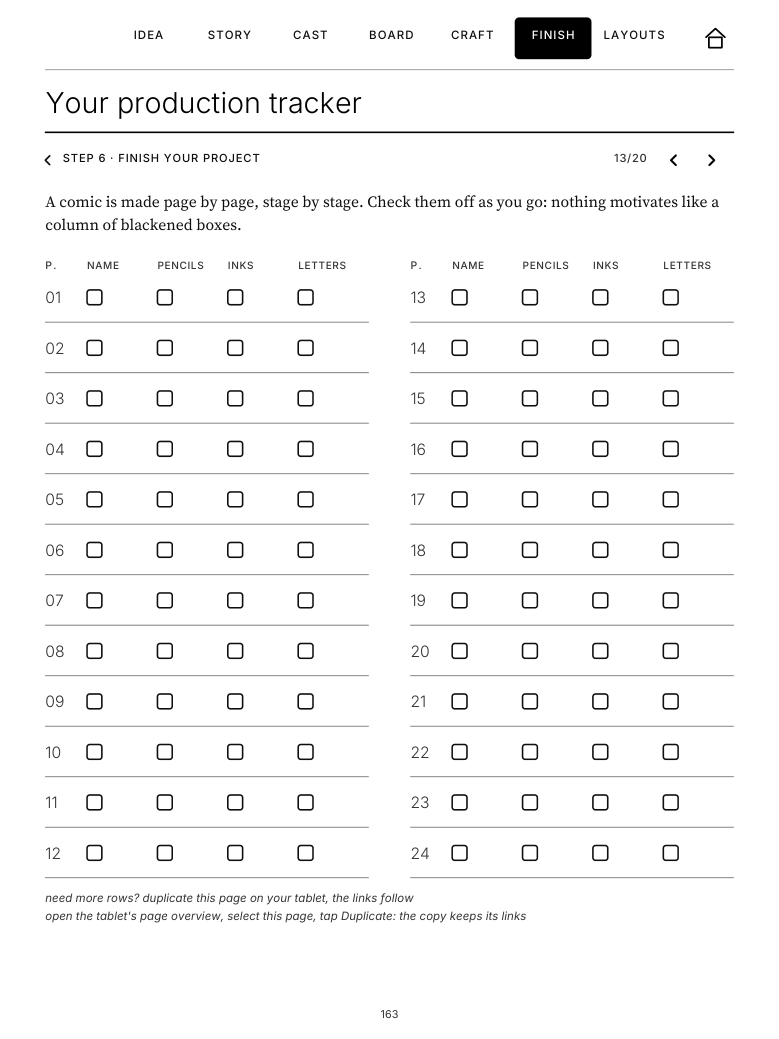
Flatplan, page-by-page production tracker (name, pencils, inks, letters), session log, series bible, continuity log and a publishing checklist that covers exporting to Clip Studio, Procreate and webtoon platforms. Also discover our hand-picked selection of drawing apps at novelists-kit.com/softwares.
Language (English or French) and tablet (Paper Pure or Paper Pro). The Pure edition also fits the reMarkable 2.
Secure checkout at PayPal: we never see or store any payment details.
Your download page opens as soon as the payment clears. One ZIP, two PDFs: right and left-handed.
Drag the PDF that fits you into the reMarkable app (desktop or mobile): it syncs to your tablet.
The one gesture to know:on reMarkable, links open with a finger tap: the pen is for drawing. That is all you need to navigate the kit.
One purchase, two carefully made files, and no more excuses to postpone page 1.
Also available on our Etsy shop. A question before buying? Write to us.
Right-handed and left-handed versions included in every purchase.
After the launch period the kit moves to €19.90. Prices in euros, taxes included.
They open with a finger tap: the pen is for drawing and writing. That is standard reMarkable behavior (software 2.6 and later, every current tablet has it). No third-party app, no setting.
The Paper Pure edition. The reMarkable 2 shares the exact same screen (10.3″, 1872 × 1404 px, 226 PPI): the display is pixel-identical.
Yes, and it is included: every purchase delivers two PDFs, the right-handed and the left-handed version (mirrored navigation bar, matching your tablet's handedness setting). Install the one that fits you.
The reMarkable is a wonderful pre-production studio: script, flatplan, name, penciled pages. For final inks, tones and color, export your pages as PDF or PNG to Clip Studio, Procreate or your usual app. The kit includes a publishing and export checklist, and on Paper Pro color is for annotating your storyboard.
Yes. The kit has three wings: western comics grids, manga pages that read right to left (professional genkō yōshi, name sheets, 4-koma, kishōtenketsu structure) and vertical webtoon strips. Use yours, or mix.
Each is sized exactly for its tablet. The Pure edition is high-contrast grayscale, tested on a non-backlit screen. The Pro edition adds subtle color accents (deep teal, terracotta) for its color screen, on the same layout.
After the PayPal payment you are redirected to your download page and receive a confirmation e-mail with your link. The download is a ZIP containing both PDFs (right and left-handed). Remember to tap "Return to merchant" if PayPal offers it. Lost or expired link? Write to us with your PayPal receipt and we resend it.
Not yet. Its elongated screen (close to 16:9) deserves a dedicated layout, not a simple resize. It is under consideration: tell us if you want it.
No, and that is a reMarkable limitation, not the kit's: handwriting conversion does not apply to PDF annotations, whatever the PDF. Your notes stay as ink, exportable as an annotated PDF.
The kit is digital content delivered immediately: the withdrawal right ends when the download begins, with your consent (EU consumer law). A defective file or a failed download, however, can always be fixed: contact us with your PayPal receipt, we fix or resend your file at no cost.